Loading
CrowNationSmart Tech for a Smarter World
  • Home
  • License Manager
    • Buy License
    • Free license Generator
  • Our Products
    • Crow Security – WordPress Security Plugin
    • Crow SEO – WordPress Plugin
  • Free Tools/Plugins
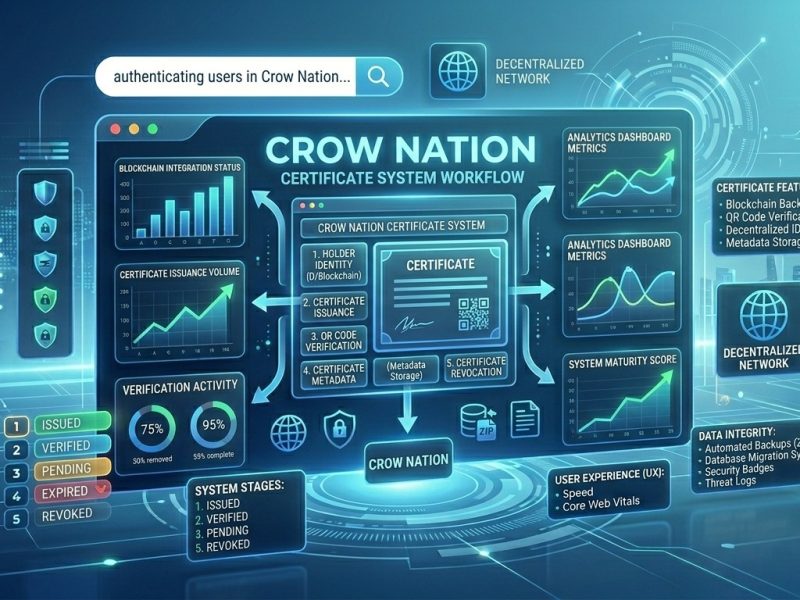
    • Crow Nation Certifications System
    • DevPulse – Chrome Extension
    • Free Password Generator
    • Link Operations
  • Contact Us
    • About Us
    • Technical Support
      • New Ticket
      • Track Ticket
      • My Tickets
  • Support
    • New Ticket
    • Track Ticket
    • My Tickets
  • Live Preview
    • Crow Nation Certificates Management
whatsapp image 2026 06 02 at 7 01 44 am
June 2, 2026 Digital Certificates, WordPress, عربي

Crow Certificates: نظام شهادات احترافي لووردبريس

🎓 Crow Certificates — نظام شهادات كامل لووردبريس (مجاني بالكامل) Crow Certificates: نظام شهادات احترافي لووردبريس — مجاني 100% بدون…

Read More
whatsapp image 2026 06 02 at 7 01 44 am
June 2, 2026 Content Management Systems, Cybersecurity, Digital Marketing Tools, WordPress

CrowNation Certificates: A Full Certification & Verification System for WordPress

🎓 Crow Certificates — Complete WordPress Certification System (Free, No Serial Required) Crow Certificates: A Full Certification & Verification System…

Read More
  • Password Generator
  • CrowNation Store
  • My Tickets
  • Privacy Policy
  • Terms of Service
  • About Us
  • Contact Us

Protected byCrow Security
SEO Optimized with Crow SEO
CROW LICENCES
// manager //
● live
uptime
99.9%
req/s
--
latency
--ms
keys
--
cpu70%
ram91%
v4.6.0
srv-01
  • Password Generator
  • CrowNation Store
  • My Tickets
  • Privacy Policy
  • Terms of Service
  • About Us
  • Contact Us
Support

Support

We are here to help!

👋

Welcome!

How can we help you today?

❓ How do I reset my password? ▼
You can reset your password by clicking on "Forgot Password" on the login page and following the instructions sent to your email.
❓ How do I reset my password? ▼
You can reset your password by clicking on "Forgot Password" on the login page and following the instructions sent to your email.
❓ How do I reset my password? ▼
You can reset your password by clicking on "Forgot Password" on the login page and following the instructions sent to your email.
❓ How do I reset my password? ▼
You can reset your password by clicking on "Forgot Password" on the login page.
❓ How do I reset my password? ▼
You can reset your password by clicking on "Forgot Password" on the login page.
❓ How do I reset my password? ▼
You can reset your password by clicking on "Forgot Password" on the login page.
❓ How do I reset my password? ▼
You can reset your password by clicking on "Forgot Password" on the login page.
❓ How do I reset my password? ▼
You can reset your password by clicking on "Forgot Password" on the login page.
❓ What payment methods do you accept? ▼
We accept all major credit cards, PayPal, and bank transfers for enterprise accounts.
❓ What payment methods do you accept? ▼
We accept all major credit cards, PayPal, and bank transfers for enterprise accounts.
❓ What payment methods do you accept? ▼
We accept all major credit cards, PayPal, and bank transfers for enterprise accounts.
❓ What payment methods do you accept? ▼
We accept all major credit cards, PayPal, and bank transfers.
❓ What payment methods do you accept? ▼
We accept all major credit cards, PayPal, and bank transfers.
❓ What payment methods do you accept? ▼
We accept all major credit cards, PayPal, and bank transfers.
❓ What payment methods do you accept? ▼
We accept all major credit cards, PayPal, and bank transfers.
❓ What payment methods do you accept? ▼
We accept all major credit cards, PayPal, and bank transfers.
❓ How do I upgrade my plan? ▼
Go to your account settings and select "Subscription" to view available upgrade options.
❓ How do I upgrade my plan? ▼
Go to your account settings and select "Subscription" to view available upgrade options.
❓ How do I upgrade my plan? ▼
Go to your account settings and select "Subscription" to view available upgrade options.
❓ How do I upgrade my plan? ▼
Go to your account settings and select "Subscription" to view available upgrade options.
❓ How do I upgrade my plan? ▼
Go to your account settings and select "Subscription" to view available upgrade options.
❓ How do I upgrade my plan? ▼
Go to your account settings and select "Subscription" to view available upgrade options.
❓ How do I upgrade my plan? ▼
Go to your account settings and select "Subscription" to view available upgrade options.
❓ How do I upgrade my plan? ▼
Go to your account settings and select "Subscription" to view available upgrade options.
✅

Submitted!

Number:

© 2025
ALL RIGHTS RESERVED
🍪

We Value Your Privacy

We use cookies to enhance your browsing experience, serve personalized ads, and analyze our traffic. By clicking "Accept All", you consent to our use of cookies.

Privacy Policy • Terms of Service
© 2025
ALL RIGHTS RESERVED